I built an app…
… so I don't have to take my phone on a run.
One of the things I like to do is run. However, I don't like running with my phone. I find it annoying – the weight, where to put it, checking it if I’m tracking a run; I’d rather leave it at home. I like the social aspect of Strava, but that means a phone. And I have a dog, Kiki, who comes with me everywhere. She wears a Tractive GPS tracker, and because she's also a bit of a runaway (she’s a 1-year-old rescue Gerberian Shepsky with a high prey drive), she runs with me on a long lead.
I’m also a designer (obvs). And in 2026, that means we have a heap of interesting ways to turn problems like this into solutions.
So at some point, whilst on a run, the obvious thought arrived: Kiki's tracker already knows exactly where we've been and when. Could I build something to turn that into my Strava tracker?
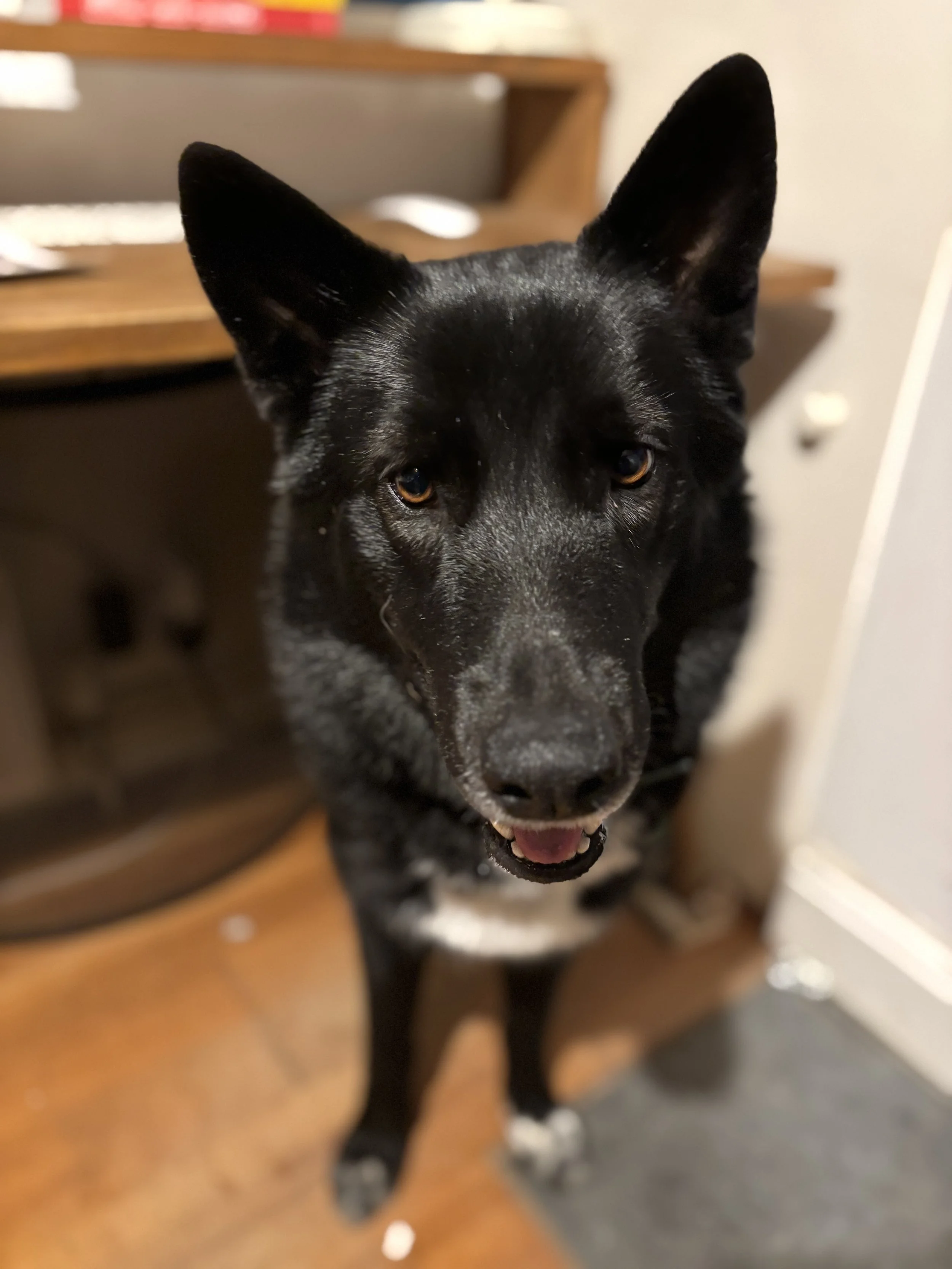
Kiki, the perpetual runaway / idea catalyst, yesterday.
The idea
Simple enough. Tractive trackers record a continuous GPS trail. Strava accepts GPS files. The gap between them is, in theory, just plumbing — fetch the track, convert it to GPX, upload it. The only interface I needed was something that asks: when did you leave, and when did you get back?
I wanted it to feel like an app. Minimal, calm, fast. A single card. You pick a date, a start time, an end time, optionally add an effort rating or a photo, hit Log Run, and it's done.
The design
I mocked it up in Figma before writing a line of code — or, more accurately, before asking anyone to write a line of code.
The UI is a mobile-first card with a flash of Strava's orange as the only accent. The main form is simple — Date, Start time, End time, Effort — with an iOS-style calendar sheet and scroll-wheel time picker for input. Below the form, photo upload and a list of previous runs pulled from Strava. Bonus points for figuring out how to upload a photo from a run when you didn’t take a phone 🙃
The success state: a green check, your run stats, two buttons — View on Strava and Log another run.
I decided to call it Runkiki.
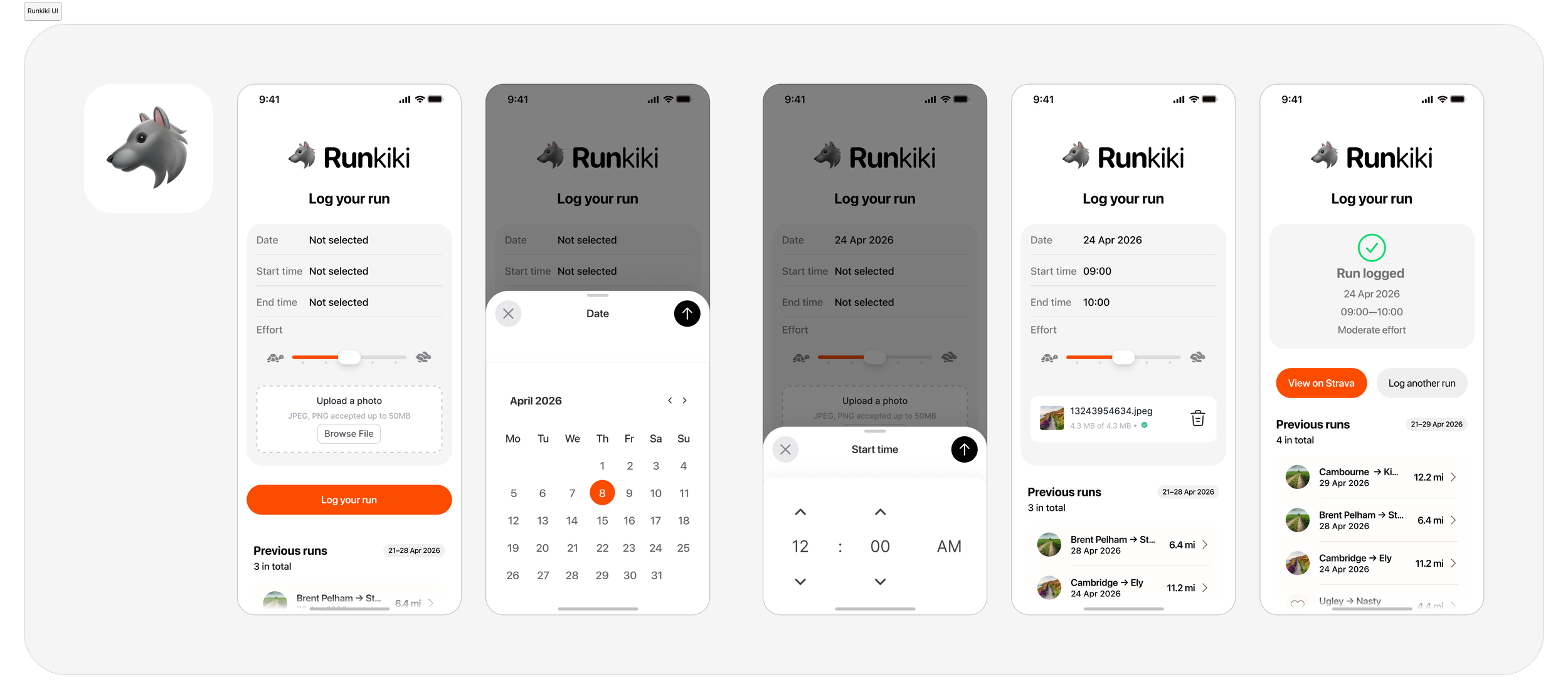
Key screens built to prompt Cursor using Figma’s MCP
The process
I used Claude to help validate the idea and shape an effective prompt, and Cursor to do the actual implementation. The full stack: Flask backend, single-file HTML/CSS/JS frontend, Railway for hosting. The tricky parts: Tractive's unofficial API, Strava's OAuth flow and token refresh logic, GPX conversion, the polling loop for Strava's async upload processing, and graceful fallbacks potential edge cases before testing.
The architecture end-to-end: a /login gate, an /auth route for the one-time Strava OAuth flow, a single POST /api/log-run endpoint that chains Tractive → GPX → Strava upload → activity update → photo upload, and a JSON response the frontend uses to render the success or error state.
Built in Cursor using Figma’s MCP for Cursor to interpret my simple designs; pushed to GitHub; deployed to Railway; I pointed Strava's OAuth callback at the live URL, and ran the /auth flow once to get tokens. To test, I picked a timestamp from our last run, added relative effort (4/10 – taking two distracted dogs out can be like that sometimes), crossed my fingers and hit Log Run.
Nothing. 😅
Cue much debugging of service variables in Railway. Long story short: an incorrect redirect URI and an additional variable: STRAVA_TOKEN_EXPIRES_AT.Retry.
Success!
Where it lives
The repo is on my GitHub. It's a personal tool, not a polished product — there's a simple password gate so it's not open to the public, and a few known edge cases (Strava's photo upload API is sparsely documented; perceived exertion falls back to a note in the activity description if the field gets rejected). But for what it is – a simple bridge between a dog tracker and a running app – it does the job.
Looking forward
The most interesting thing about this project isn't the app itself. It's what it took to build it.
A year ago this would have been a "maybe someday" idea that stayed in a Figma file. Instead it took a few hours: some careful prompting, a Cursor session, a Railway deploy, and one OAuth redirect.
That's a big shift. Not because the tools are magic — the Cursor session still required knowing what to ask for, understanding the architecture well enough to specify it, and debugging the Strava token flow when it didn't work first time. But the barrier between idea and working ‘thing’ has evaporated (and, but for a Cursor sub, this was free).
Perhaps the biggest shift will be coming back to this post in twelve months. The pace of change in AI-assisted development is fast enough that the tools and the workflow I used here will probably feel dated well before the year is out.
Either way, I’m off for a run. I'm just glad I don't have to take my phone.
🐺